Processing information allows reprocessing of current documents.
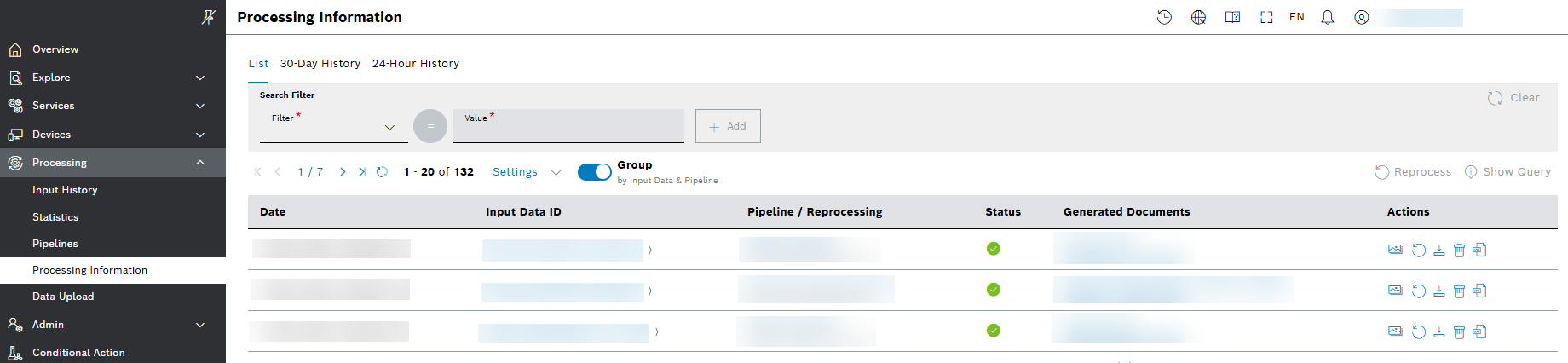
The trigger button Group by Input Data & Pipeline displays the latest status per input document and pipeline:
Prerequisites
You are assigned to the Admin role.
Reprocessing current data
Two reprocess buttons are provided:
- To reprocess all documents, select the new button
 Reprocess from the upper-right side above the table.
 - To reprocess just the current document, select the button from the Actions column.
A Reprocessing dialog box appears with preset pipeline and filter:
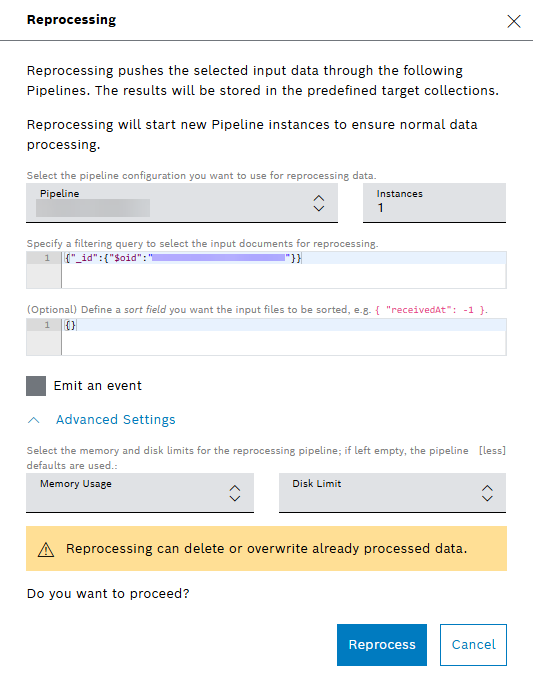
When the number of documents exceeds 1000, reprocessing is disabled with a hint that there are more than 1000 input data entries:

Reprocessing is not possible eighter if more than one pipelines are involved. Then the respective buttons are not active.